


3D Live Wallpapers 4D video 4K
4.52.39K Reviews
App Specs
- Version
- 1.24.01
- Updated On
- License
- Free
- Downloads
- 10,000,000+
- Developer
- Nebuchadnezzar DOO
- Categories
- Personalization
- Platform
- Android, iOS
Screenshots
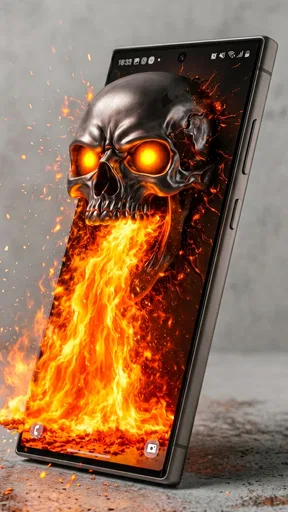

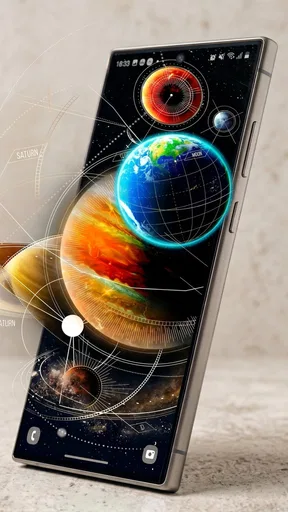
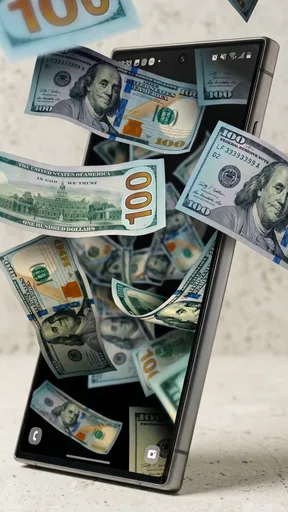
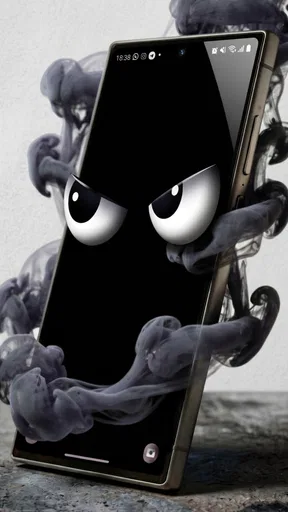
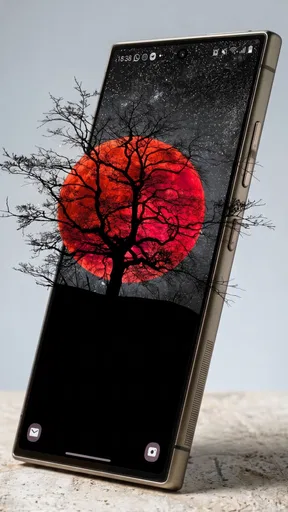
 Analysis by AppCompare
I judge a live-wallpaper app by more than its first impressive preview. The real test is whether a moving background still feels pleasant after I have unlocked my phone all day, whether it is easy to choose a design that suits my screen, and whether the experience remains comfortable when I am away from a reliable connection. 3D Live Wallpapers 4D video 4K is a personalization app from Nebuchadnezzar DOO built around animated, depth-effect backgrounds. I find its appeal clearest for people who enjoy a screen that feels expressive rather than purely functional.
What to expect when browsing
The app is free to download, with optional in-app purchases priced from $0.99 to $3.99 per item. It is rated for Everyone, and its current version is 1.24.01. The large audience—over 10 million installs and a 4.5 average from around 436,000 ratings—suggests that animated backgrounds are an established part of phone personalization, though popularity alone cannot tell you which designs you will like.
When I look through wallpaper collections, I try to judge them at the size and brightness I normally use, not only by a vivid preview. A scene that looks striking full-screen might make app icons harder to read, while a softer pattern may suit a busy home screen better. I would start by choosing a style that leaves some visual breathing room around the icons and widgets I use most.
When connectivity shapes the experience
Browsing for new looks is the part of this kind of app most likely to feel different depending on your connection. If I am choosing a wallpaper while commuting or on a patchy network, I would avoid assuming every preview will appear instantly. It is more comfortable to explore when I have a steady connection, take time to compare designs, and apply a favorite before heading out.
That distinction matters because choosing a background and looking at the one already on your phone are not necessarily the same activity. I would not plan a wallpaper change around a moment when I need quick access to a connection or have only a brief break. If I already know what I want, setting it up earlier makes the whole process feel less fussy.
A practical way to use it day to day
Imagine picking a calm landscape at home before a busy day, then using that same screen while checking messages between errands. A moving background can add a little personality without asking you to open a separate entertainment app. The trade-off is that motion is visible each time you return to the home screen, so a dramatic design may become distracting when you are trying to focus or read small labels.
I would treat the strongest animation as an accent rather than an automatic choice for every situation. For work or study, a restrained design can keep the phone feeling personal while preserving a calmer backdrop. For a device you mostly use for photos, music, or casual browsing, a more vivid scene may be a better fit. If you share your screen often, a simple background can also be less distracting to someone looking over your shoulder.
Worth Reading Before You Choose

Flipboard Shows What News Apps Must Do Beyond the Feed

Switching to Android Auto Means Rethinking Your Driving Routine

Google Calendar Makes a Crowded Week Easier to Manage

Ludo King Makes the Most of the Minutes Between Plans

Baby Panda World Brings Quick Play to Modern Phones, but Its Game Library Feels Busy

ESPN’s Live Game View Makes Following Close Games Easier
Recovery when browsing feels slow
If a preview takes longer than expected, I would first give it a moment rather than tapping repeatedly. Multiple rapid attempts can make it harder to tell whether the connection or the app is responding. If the delay continues, I would leave that selection, return to browsing later on a steadier connection, and avoid making several changes at once. That is a sensible general workflow, not a promise that every delay has the same cause.
It also helps to separate a browsing problem from a wallpaper preference problem. If a design loads but feels too busy once applied, switching to a quieter image is more useful than repeatedly adjusting the same choice. I recommend testing a candidate on the screen you use most and checking whether icons remain easy to spot before settling on it.
Keeping data use in mind
High-resolution visual content can be a reason to be thoughtful about when you browse, especially if you are trying to conserve mobile data. I would explore and make selections when connected in a way that suits my data plan, rather than repeatedly scrolling through previews on the move. This is a practical precaution, not a claim about the app’s exact data use.
Another useful habit is to decide what you want before browsing: for example, a dark abstract look, a nature scene, or something with more motion. A clear preference can reduce aimless loading and makes it easier to compare a handful of candidates instead of treating the catalog as an endless feed. If you are sensitive to visual movement, preview a design briefly and choose a calmer alternative if it competes with the things you need to see.
Who is likely to enjoy it
I think the app is best suited to someone who enjoys changing the look of a phone and wants more than a static image. It also makes sense for people who like depth and movement but do not need their wallpaper to be subtle at all times. If you usually keep one plain background for months, or prioritize a minimal home screen, the animated effect may feel unnecessary rather than refreshing.
Compared with the usual alternatives—choosing a still image from your gallery or using a basic wallpaper picker—this app is for people who want motion and a more dimensional feel. A static photo is the simpler choice when you want predictable battery behavior, maximum visual calm, or an image that is entirely your own. I would choose based on the screen I want to live with every day, not just on which preview looks most dramatic.
One small but useful decision is to match the wallpaper to the way you organize your home screen. If your first page has many icons, look for a composition that does not put its busiest detail behind them. If you keep only a few shortcuts there, you can afford a more intricate scene. That sort of visual fit often matters more over time than the headline resolution.
The app is available on Android with a minimum OS requirement of 7.1. Its free starting point makes it easy to explore, but the optional purchases mean I would check whether a particular design or item is worth paying for before committing. I would not assume that every visual choice is included at no cost; instead, I would browse carefully and decide based on the options I actually want.
Transform Your Screen
So, you might be wondering, what’s the big deal about 3D wallpapers? Well, imagine having a wallpaper that reacts to your phone’s movement, giving you an almost holographic experience. That’s exactly what 3D Live Wallpapers 4D video 4K offers. It’s not just about aesthetics; it’s about turning your screen into a dynamic, vibrant space.
The first time I installed the app, I was immediately drawn in by the sheer variety of wallpapers available. From stunning sceneries to mesmerizing abstract designs, the app has something for everyone. And the best part? These wallpapers are crafted in 4K, ensuring crystal-clear resolution that makes every detail pop.
Immersive Experience with 4D Technology
What sets this app apart is its use of 4D technology. This isn’t just a gimmick; the wallpapers actually respond to your phone’s gyroscope and accelerometer. As you tilt your device, the wallpaper shifts perspective, creating a sense of depth and immersion. It’s like having a mini virtual reality experience right on your home screen.
One of my personal favorites is a serene underwater scene, complete with swaying corals and darting fish. Each movement of my phone felt like I was peering into a living aquarium. It’s the small details, like the subtle shimmer of water or the play of light and shadow, that truly elevate the experience.
Easy to Use and Customize
Now, I know what you’re thinking: “Cool features are great, but how easy is it to use?” Fear not, my friends. The app is super user-friendly. Navigating through its features is a breeze, and setting up a new wallpaper takes just a few taps. Plus, with regular updates, the app keeps adding new designs, so you’ll never run out of options.
Customization is also a big win here. You can tweak settings to suit your preference—whether it’s adjusting the intensity of the 3D effect or picking a color palette that matches your mood. It’s all about making your screen feel personal and unique.
Battery Friendly?
Now, let’s address the elephant in the room—battery life. I’ve been using this app for a couple of weeks, and I haven’t noticed any significant drain. The developers seem to have optimized the app well, ensuring that your battery isn’t guzzled by running these high-quality wallpapers. Of course, as with any app, your mileage may vary depending on your phone’s specs and usage habits.
Final Thoughts
In conclusion, if you’re looking to inject some life into your phone’s appearance, 3D Live Wallpapers 4D video 4K is definitely worth checking out. It’s fun, innovative, and adds a touch of magic to your everyday device use.
Ready to transform your screen? You can find the app on both Android and iOS platforms. Give it a whirl and let me know what you think. Trust me, once you go 3D, there’s no going back!
Pros
- Stunning 4K visuals enhance device aesthetics.
- Wide variety of themes for personalization.
- Consumes minimal battery with efficient rendering.
- Easy-to-navigate interface for quick setup.
- Supports both portrait and landscape modes.
Cons
- Ads can be intrusive during usage.
- Limited free options without subscription.
- Heavy app size may affect storage.
- Some themes require high-end devices.
- Occasional lag on older devices.
FAQs for 3D Live Wallpapers 4D video 4K
What is 3D Live Wallpapers 4D Video 4K and how does it enhance my device?
3D Live Wallpapers 4D Video 4K is an app that provides a wide array of stunning live wallpapers in 3D and 4D formats, available in 4K resolution. By using this app, you can significantly enhance the visual appeal of your device, making your home screen and lock screen dynamic and vibrant with high-quality, interactive wallpapers.
Is 3D Live Wallpapers 4D Video 4K compatible with my device?
The app is compatible with most modern Android and iOS devices. It requires a minimum operating system version to function optimally, so it’s recommended to check the app store listing for specific compatibility details. Ensure your device supports live wallpapers for the best experience.
Does using 3D Live Wallpapers 4D Video 4K affect battery life?
Live wallpapers generally consume more battery than static ones as they require more resources to animate. However, 3D Live Wallpapers 4D Video 4K is designed to be efficient and includes settings to optimize battery usage, such as reducing frame rates or pausing animations when the device is inactive.
Are there any costs associated with 3D Live Wallpapers 4D Video 4K?
The app is available as a free download, offering a selection of free wallpapers. However, it may include in-app purchases for premium content or ad-free experiences. Users should review the in-app purchase options before deciding to buy additional features or wallpapers.
How frequently is new content added to 3D Live Wallpapers 4D Video 4K?
The app regularly updates its library with new wallpapers to keep the selection fresh and exciting. Users can expect new content to be added on a weekly or monthly basis, ensuring that there are always new designs to explore and personalize their devices with.


